A multiplayer 3D browser game with no server of your own
Build a 3D game for several people that opens from a link: players, spawn points, shared objects and a score — no server of your own and hardly any code.
3 min read
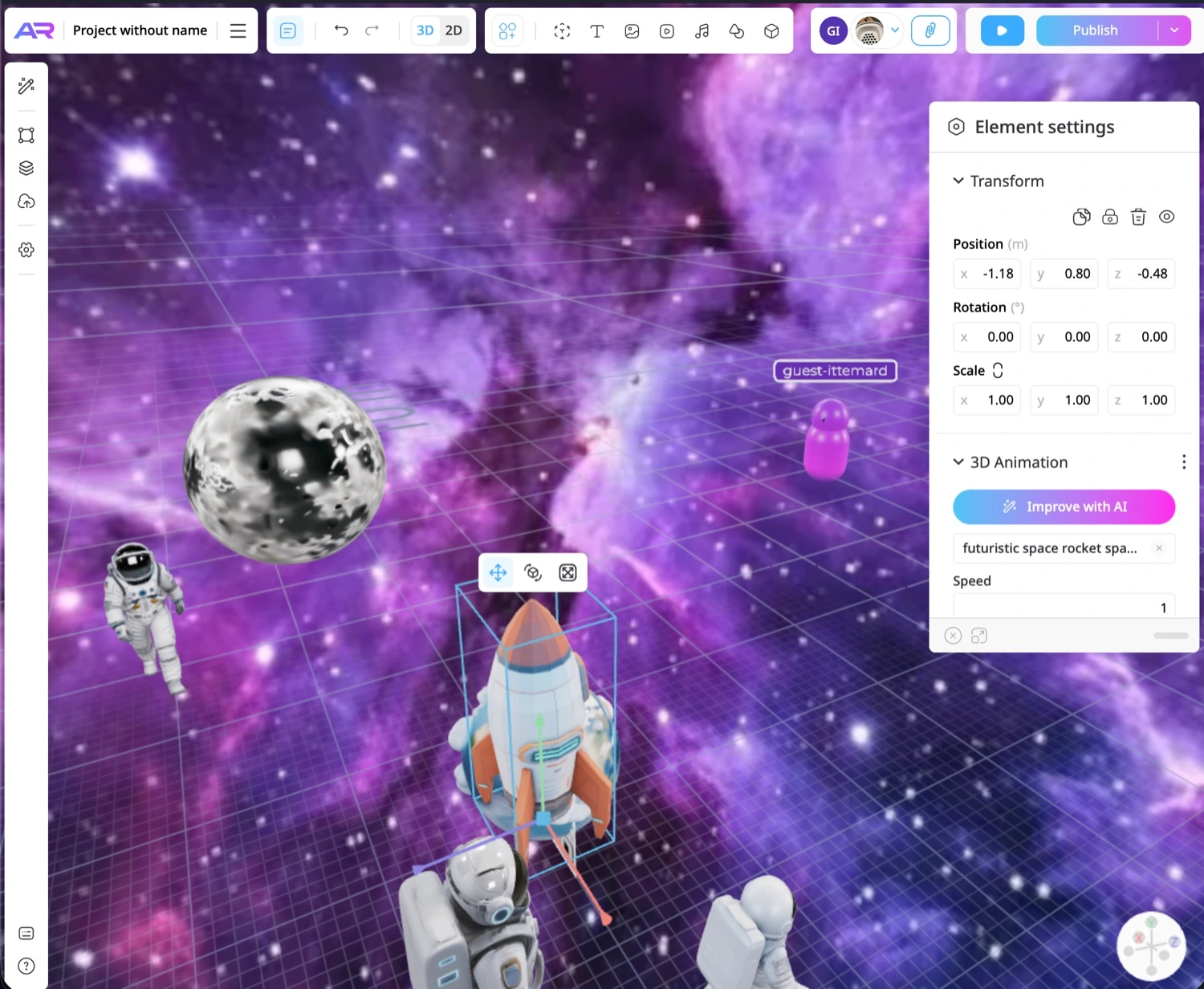
Multiplayer is usually a project of its own: a server, rooms, syncing, deployment. In ARClip the platform runs the rooms. Turn multiplayer on, and everyone who opens the game from the same link ends up in the same scene, on a phone or a computer.
What the platform takes care of
- Rooms. Up to 30 people in one. When it fills up, the next players go into a new one.
- Syncing. Players see each other, and shared objects and physics match for everyone — with no code from you.
- Hosting. The game opens from a link and a QR code; servers, deployment and load are not your problem.
Step 1. Turn on multiplayer
Open Project settings, press + Add feature and choose Multiplayer.
Step 2. Add a player and spawn points
On the top toolbar, press Player. It is a template: everyone who opens the game gets their own copy. The copy follows the camera — wherever someone's camera is, that is where the others see them. Parts of the player can take on the player's colour, which is different for everyone, in the order they join the room. For each part you also choose who sees it: everyone, only the player, or only the other players.
The same menu has Spawn point: a player appears there, facing the way the point faces. With several points, each player gets a random one.
Step 3. Make objects shared
- Doors, levers, lamps. Add the Shared with everyone component to the object: when someone switches its state or visibility, it switches for everyone — including people who join later.
- Crates, balls and anything physics moves. On the rigid body, choose whether there is one for the whole room or each person has their own. Everyone sees a shared body in the same place.
Step 4. Characters and score — a little code
A character is driven by the Game controls trigger in an Events component: walking, flying or top-down, jumping and a follow camera. On a computer that's WASD or the arrow keys; on a touch screen, a stick and a jump button once you turn them on in the trigger's settings.
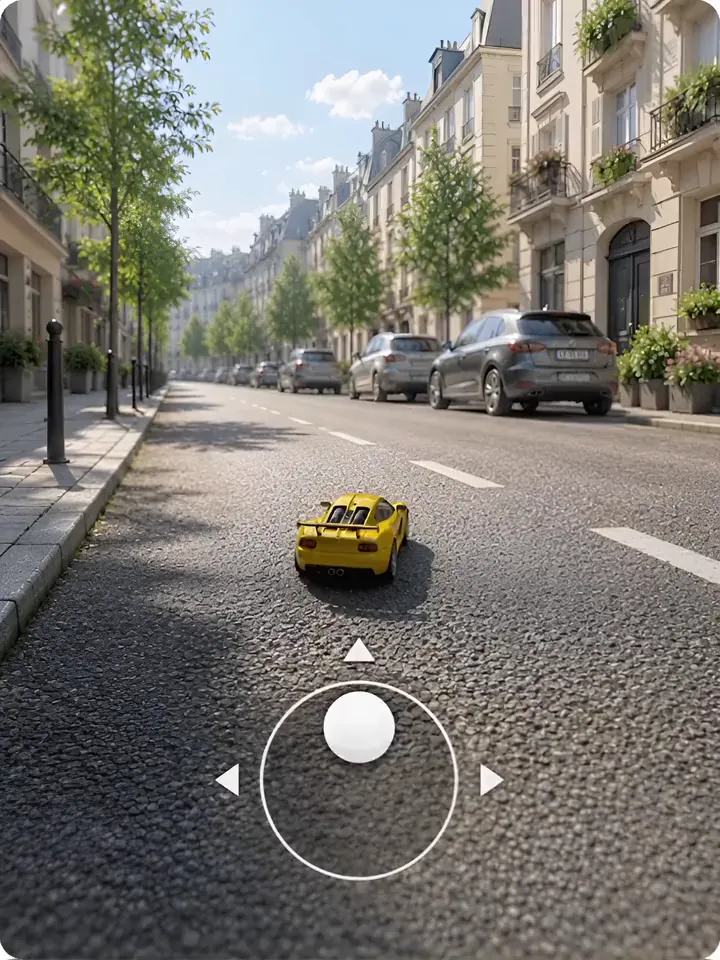
For players to see each other's characters and share a score, you need a short script. A setup that works:
- each player controls their own character and tells the others where it is 10–20 times a second;
- other players' characters are moved with
ctx.net.follow— smoothly, without jumps; - the score and the state of the round live in shared state,
ctx.net.state, while events such as "scored a goal" go out as messages.
ctx.net.send('score', { points: 10 });
ctx.net.on('score', ({ from, data }) => {
  // points for player `from`
});
Without a room these calls do nothing, so the same script also works in a single-player preview. More in the docs: Multiplayer and Game controls. You can ask the AI assistant or an agent to write the script — for example, Claude over MCP.
Step 5. Publish
Press Publish and send your friends the link or the QR code. The game opens in the browser, with nothing to install.
What isn't there yet
- Voice for players in the scene: your team can talk by voice and video in the editor, but players can't.
- Monetisation — ads and in-game purchases.
- Ready-made lobbies and leaderboards: you can keep scores between sessions in the project's data, but that takes a script.
GDevelop, for example, has lobbies of up to 8 players and ready-made leaderboards — we compared it honestly: ARClip or GDevelop. One more comparison: ARClip or PlayCanvas.
More from the blog
 AI & agents
3D model from a photo: make it and show it in AR
Turn a photo of an object into a 3D model with AI, place it in a scene and open it in AR on a phone. Step by step, plus what makes a good photo.Read 3D on websites
How to add a 3D model to your website and AR to a product page
Embed an interactive 3D scene in your page, add colour variants and a “View in AR” button — no code and no hosting of your own.Read
Try it on your own project
Open a workspace, describe what you want to build and see the first version in the editor. No card, no install.
Start building — free